
Recipe Management Platform
KitchenPocket: Turn Your Recipes Into a Digital Kitchen
Capture recipes from Instagram, websites and handwritten notes, organize family recipes into digital cookbooks, plan meals, manage nutrition and turn culinary knowledge into something you can preserve, share and potentially monetize.
Your recipes deserve more than a screenshot or a notebook.
KitchenPocket brings recipes from websites, social media, photos and personal collections into one organized digital kitchen. It combines recipe management, digital cookbooks, meal planning, nutrition intelligence and creator tools in one platform.
- Capture
- Organize
- Cook
- Publish
- Earn
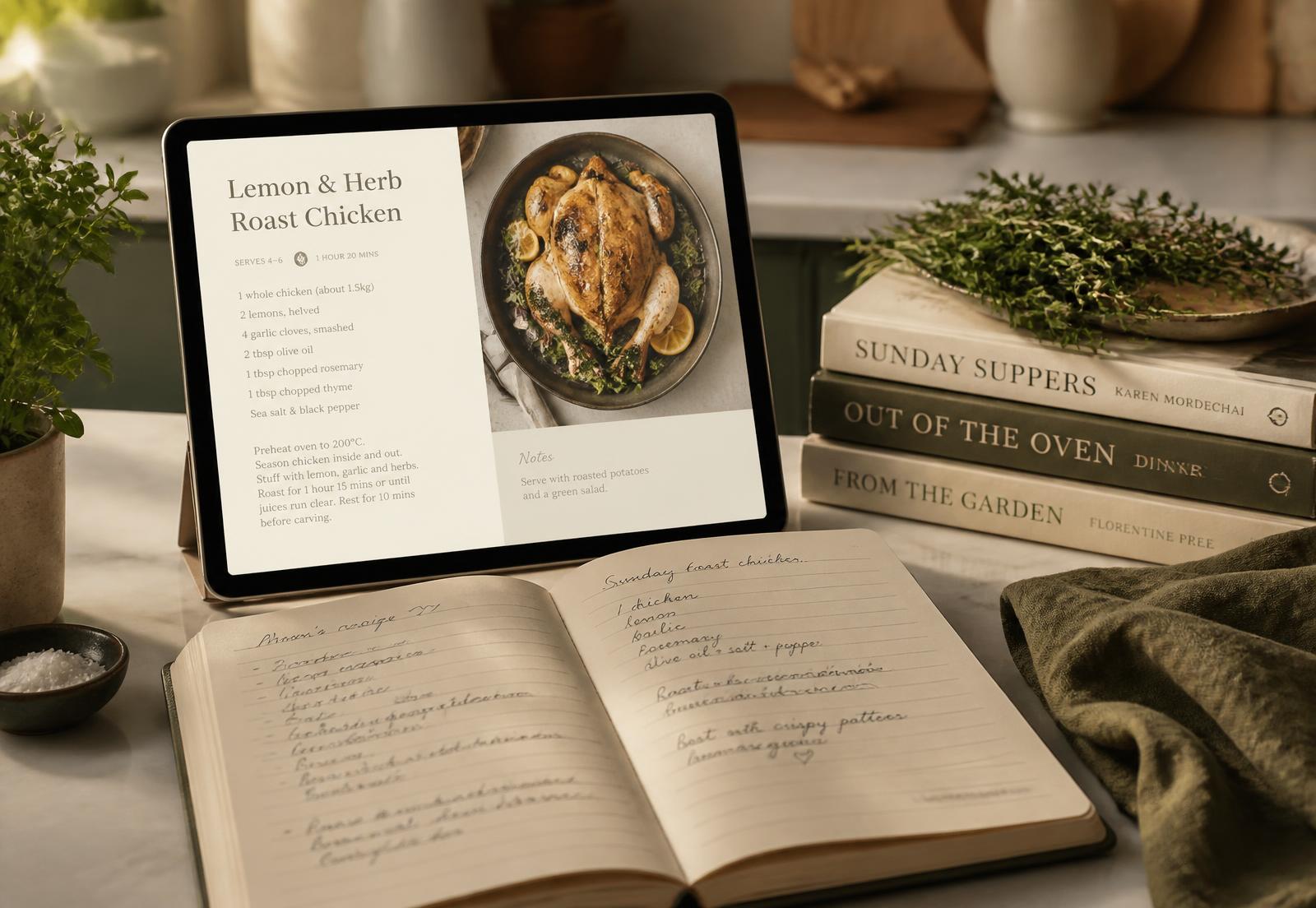
Import Recipes
From websites, social media and other sources.
Preserve Recipes
Digitize handwritten recipes and family cookbook pages.
Organize
Create cookbooks and collections around the way you cook.
Plan
Build menus and meal plans from your recipe library.
Shop
Generate and organize shopping lists.
Understand
Analyze nutrition and dietary information.
Create
Use AI to help create and transform recipes.
Monetize
Turn culinary knowledge and digital cookbooks into potential revenue.
The big idea
More Than a Recipe Manager
KitchenPocket is designed around a broader idea: your recipe collection can become a valuable digital kitchen library.
Instead of keeping recipes scattered across:
- Instagram saves
- Screenshots
- Website bookmarks
- Text messages
- Recipe cards
- Notebooks
- Handwritten family recipes
- Printed cookbooks
- PDFs
- Documents
KitchenPocket brings them together into an organized digital environment.
- 01Scattered Recipes
- 02Capture & Import
- 03Organize
- 04Digital Cookbooks
- 05Meal Planning
- 06Nutrition & AI
- 07Share / Publish
- 08Potentially Monetize
Recipe import
Your Favorite Instagram Recipes Don't Have to Stay in Instagram
Food inspiration increasingly lives on social media. Instead of leaving a recipe buried inside a saved post, KitchenPocket can help bring recipe content into your personal recipe library.
- Instagram post
- KitchenPocket import
- Structured recipe
- Saved cookbook
- Meal planner
The point is turning inspiration into something usable: a saved reel becomes a recipe with real ingredients and steps that you can search for months later, place in the right cookbook and drop into next week's plan.
Instagram recipe import
Bring recipe content out of saved posts and into your library.
Recipe extraction
Structure the text into a recipe rather than a block of caption.
Ingredients
Ingredient lines are captured so lists and scaling work.
Instructions
Steps are stored in order and can be edited.
Recipe image
The original image is kept with the recipe.
Tags & categories
Sort imported recipes the same way as the rest of your collection.
Personal notes
Record your changes, timings and results.
Cookbook placement
Send the finished recipe straight into a cookbook.
Imported social content may depend on the information available from the original source and should be reviewed for accuracy.
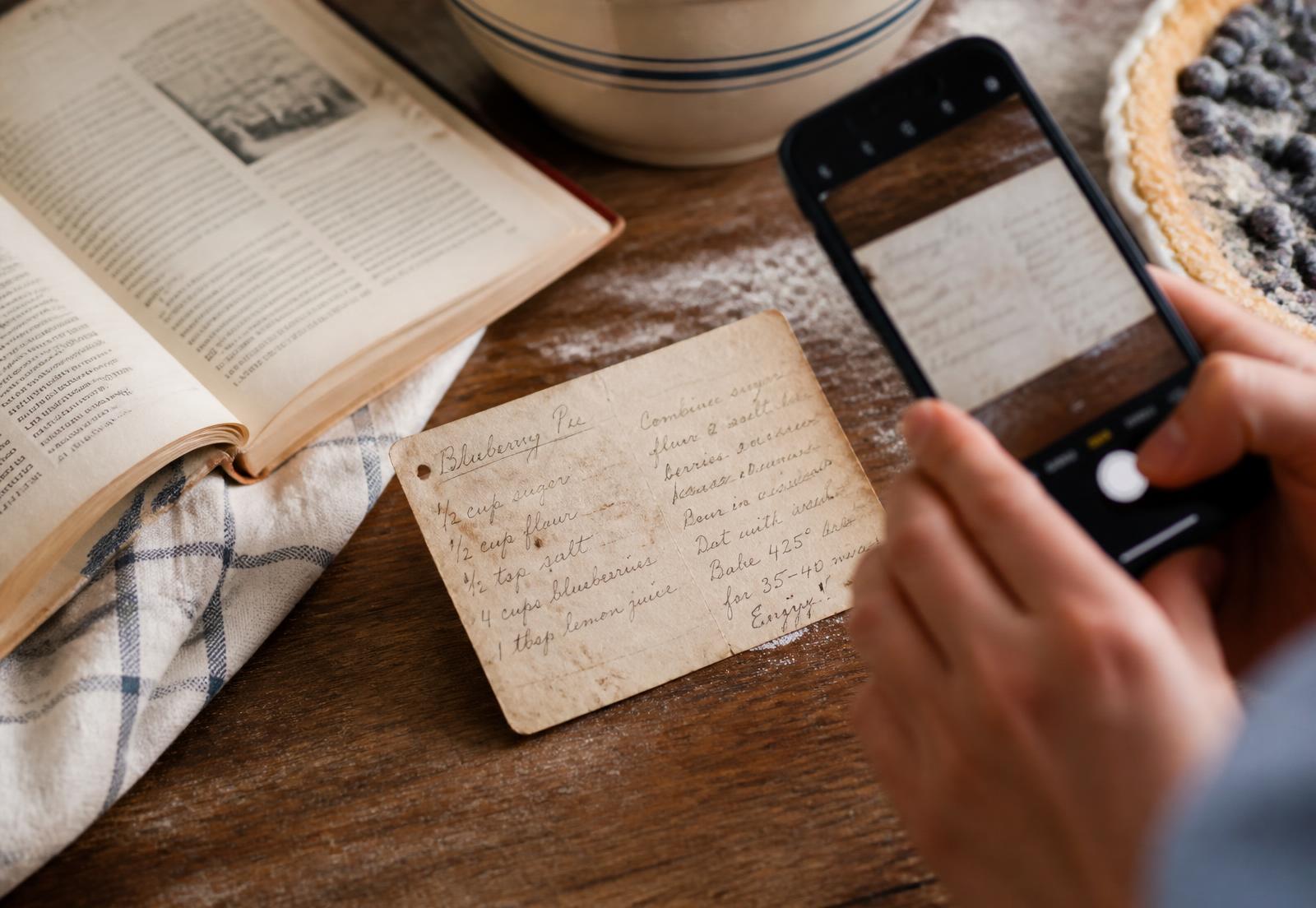
Family recipe preservation
Preserve the Recipes That Can't Be Replaced
From Grandma's handwritten recipe card to your family's treasured cookbook.
Some recipes are more than instructions. They are family history — handwriting, memories, traditions and generations of cooking knowledge.
- Handwritten card
- Photograph
- Text extraction
- Structured recipe
- Family cookbook
Don't let a handwritten recipe disappear with the notebook.
- Photograph handwritten recipes
- Extract recipe information
- Review and correct extracted content
- Preserve the original image
- Convert into a structured recipe
- Add personal notes and stories
- Categorize by cuisine or family collection
- Add to a digital cookbook
- Share with family
Keeping the original photograph attached to the digital recipe means you keep both: the original memory and a recipe you can actually cook from. Always check the extracted transcription — faded ink and unusual handwriting affect accuracy.
Preserve a Family RecipeCulinary heritage
Turn Your Family Cookbook Into a Digital Legacy
Your family's recipes can become more than a collection of pages.
Many families have valuable recipe collections sitting inside old binders, handwritten notebooks and printed cookbooks. KitchenPocket provides a way to transform those recipes into a structured digital collection that can be searched, organized, shared and potentially published.
01 — Preserve
Digitize handwritten and printed recipes.
02 — Organize
Build a beautiful digital family cookbook.
03 — Share & Monetize
Publish selected recipes or cookbooks and potentially create a new revenue stream from culinary knowledge.
Your family's recipes are part of your culinary heritage. Digitize them before they disappear.
Digital cookbooks
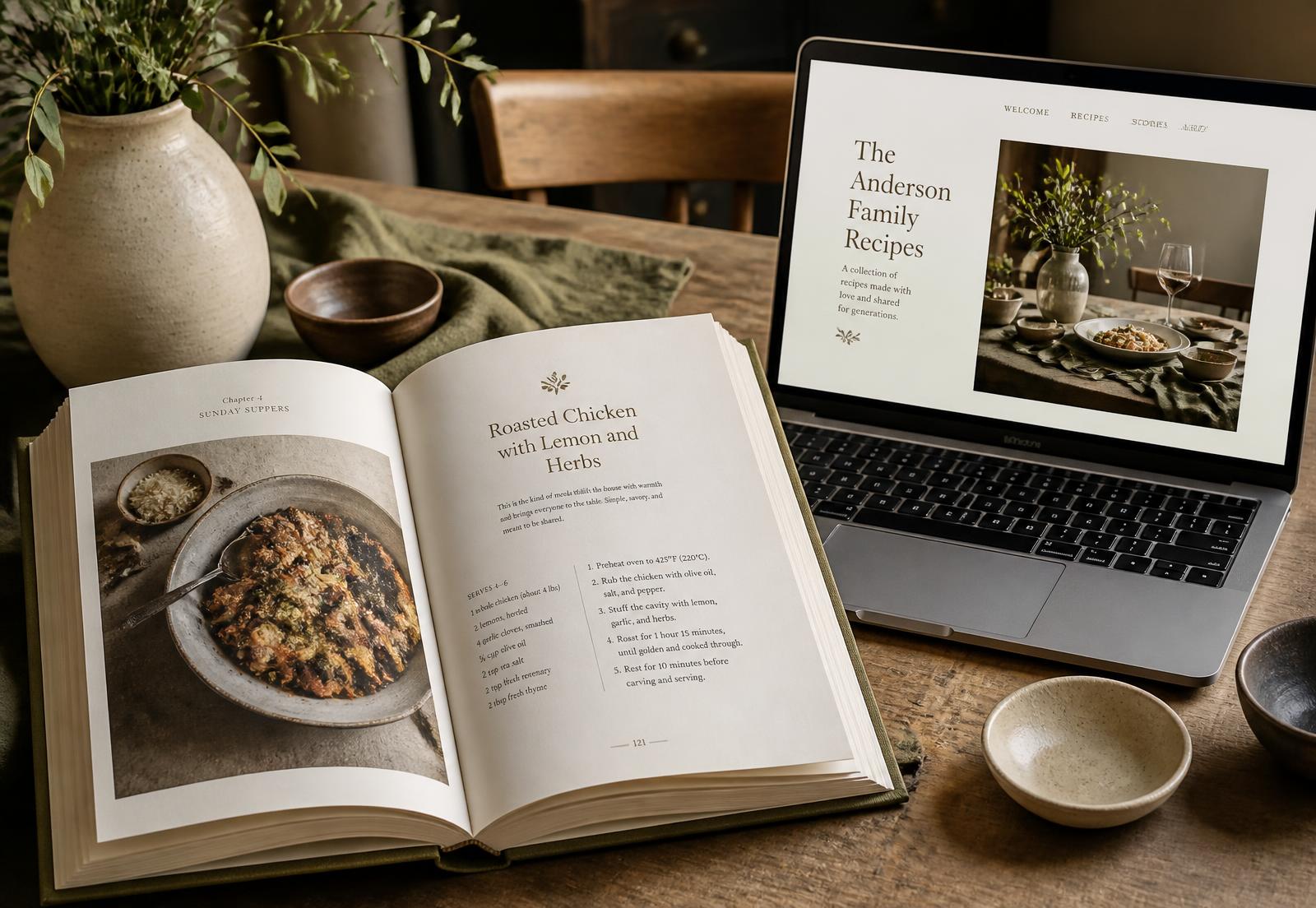
Build a Digital Cookbook From Your Recipe Collection
Recipes can be grouped into themed collections and full digital cookbooks, so a library of hundreds of recipes reads like something you would actually shelve in your kitchen.
- Custom cookbook
- Recipe collections
- Categories
- Cover image
- Recipe images
- Recipe descriptions
- Personal notes
- Organized chapters
- Digital publishing
- Sharing
- Potential monetization
Recipe management
Organize Your Entire Recipe Collection
Recipes
Create, edit, save and organize recipes.
Cookbooks
Group recipes into custom digital cookbooks.
Collections
Create collections around cuisines, occasions, diets or personal preferences.
Search
Find recipes quickly across your collection.
Tags
Organize recipes with categories, tags and metadata.
Notes
Add your own cooking notes and modifications.
Recipe Scaling
Adjust recipe quantities for different serving sizes.
Cross-Device Access
Access recipes across supported devices.
Menus & meal plans
Turn Your Recipe Collection Into a Weekly Plan
Recipes move from your collection into meal plans, and those plans organize the week around what you actually want to cook.
- Recipe Library
- Meal Plan
- Shopping List
Monday
- Breakfast
- Lunch
- Dinner
Tuesday
- Breakfast
- Lunch
- Dinner
Wednesday
- Breakfast
- Lunch
- Dinner
Thursday
- Breakfast
- Lunch
- Dinner
Friday
- Breakfast
- Lunch
- Dinner
Saturday
- Breakfast
- Lunch
- Dinner
Sunday
- Breakfast
- Lunch
- Dinner
Weekly meal planning
Plan a full week in one view.
Menu organization
Keep reusable menus for repeat occasions.
Breakfast / lunch / dinner
Assign recipes to individual meal slots.
Recipe scheduling
Move meals between days as plans change.
Serving adjustments
Scale a planned recipe to the number of people eating.
Meal-plan organization
Save and reuse plans that worked.
Shopping list generation
Send the plan straight to a grocery list.
Library-driven
Everything comes from recipes you already saved.
Shopping lists
From Recipes to the Grocery List
- Selected Recipes
- Ingredients
- Combined Shopping List
- Organized Grocery Trip
- Generate shopping lists
- Combine ingredients
- Organize grocery items
- Categorize items
- Check items off
- Share lists
- Connect meal planning with shopping
This week's list
Produce
- 2 lemons
- 1 bunch rosemary
- 400g spinach
Dairy
- Butter, unsalted
- Greek yogurt 500g
Pantry
- Basmati rice 1kg
- Olive oil
- Chickpeas ×2 tins
Pantry
Know What You Already Have
Recipe management becomes far more useful when it knows what is already on your shelves.
- Pantry
- Available Ingredients
- Recipes
- Meal Plan
- Shopping List
Pantry inventory
Record staples and quantities you keep at home.
Ingredient tracking
Update stock as you cook and shop.
Shopping awareness
Lists reflect what still needs buying.
Reduce duplicate purchases
Stop buying the third jar of cumin.
Use existing ingredients
Find recipes built around what you have.
Reduce food waste
Cook what is open before it is wasted.
Nutrition
Understand the Nutrition Behind Your Recipes
Calories
Estimated energy per recipe and per serving.
Macronutrients
Protein, carbohydrate and fat breakdowns.
Micronutrients
Vitamin and mineral information where available.
Allergens
Flag ingredients that matter in your household.
Dietary information
See how recipes match dietary preferences.
Portion awareness
Values adjust with serving size.
Recipe nutrition analysis
Analyze full recipes, not just single ingredients.
Plan-level view
Nutrition information carries into meal plans.
Per serving (example)
520 kcal
- Protein
- 34 g
- Carbohydrate
- 48 g
- Fat
- 18 g
- Fibre
- 7 g
Nutrition information is intended for general educational purposes and should not be treated as medical advice. Figures are estimates that vary with brands, substitutions and portion sizes.
AI assistance
AI That Works With Your Recipe Collection
KitchenPocket's Cheffy assistant is designed to work with the recipes, pantry items and plans you have already saved rather than generic content.
What can I make with the ingredients in my pantry?
Create a 5-day dinner plan using my saved recipes.
Make this recipe vegetarian.
Scale this recipe for 8 people.
Suggest a substitute for this ingredient.
Create a high-protein meal plan from my cookbook.
AI recipe creation
Draft new recipes from an idea or ingredients.
Meal planning
Generate a plan you can then edit by hand.
Ingredient substitutions
Swap an ingredient you do not have.
Recipe scaling
Adjust quantities for a different table.
Dietary-aware suggestions
Account for dietary preferences you set.
Pantry-aware recommendations
Suggest cooking around what is at home.
Cooking assistance
Ask questions while you cook.
Nutrition-aware planning
Plan with nutrition information in view.
AI output is not automatically correct. Review generated recipes, substitutions, quantities and nutrition information before relying on them.
Heritage
Preserve the Past. Cook in the Present. Create the Future.
Yesterday
Handwritten recipe cards
Today
Digital recipe collection
Tomorrow
Searchable family cookbook
Future
Share, publish and potentially monetize culinary knowledge
A family recipe shouldn't have to remain locked inside a drawer. Digital recipe management can help preserve the original story while making the recipe useful for the next generation.
Your recipes can become a legacy.
Audience
Who Is KitchenPocket For?
Home Cooks
Keep your entire personal recipe collection organized.
Families
Preserve recipes passed down through generations.
Food Creators
Build an audience and publish culinary content.
Chefs
Organize professional recipes and create digital cookbooks.
Nutrition Professionals
Manage nutrition-aware recipes and meal collections.
Food Bloggers
Capture, organize and repurpose recipe content.
Culinary Educators
Create structured recipe collections and educational materials.
AI-curious cooks
Try AI-assisted planning against a real recipe library.
Feature map
KitchenPocket Feature Map
An overview of what the platform covers, grouped by the part of cooking it supports.
Recipe Management
- Create recipes
- Import recipes
- Organize recipes
- Search
- Tags
- Collections
Import
- Websites
- Social content
- Photos
- Handwritten recipes
- Files and documents where supported
Cookbooks
- Digital cookbooks
- Family collections
- Custom categories
- Publishing
- Sharing
Planning
- Menus
- Meal plans
- Weekly planning
Shopping
- Shopping lists
- Ingredient consolidation
- Grocery organization
Pantry
- Pantry tracking
- Ingredient awareness
- Use-what-you-have workflows
Nutrition
- Calories
- Macros
- Micros
- Allergens
- Dietary information
AI
- Recipe generation
- Meal planning
- Substitutions
- Scaling
- Cooking assistance
Creator Economy
- Digital cookbook publishing
- Premium content
- Creator profile
- Audience
- Earnings
Availability
KitchenPocket Across Your Devices
Availability is recorded in our platform data and updated as it is verified.
Web
Available
iOS
Available
Android
Available
Windows
Available
macOS
Available
Browser extension and desktop availability should be confirmed on KitchenPocket's own website before you rely on it. Pricing: Free tier with paid plans for expanded AI and nutrition features.
Overview
Key Features at a Glance
A feature overview of KitchenPocket only. This is not a competitive comparison and contains no scores or rankings.
| Feature | KitchenPocket |
|---|---|
| Recipe Management | Yes |
| Digital Cookbooks | Yes |
| Recipe Import | Yes |
| Instagram Import | Yes |
| Handwritten Recipe Capture | Yes — verify current implementation |
| Recipe Clipper | Yes |
| Meal Planning | Yes |
| Menus | Yes |
| Shopping Lists | Yes |
| Pantry | Yes |
| Nutrition | Yes |
| AI | Yes |
| Cookbook Publishing | Yes |
| Creator Monetization | Yes |
| Cross-Platform | Yes |
| Recipe Sharing | Yes |
Editorial takeaway
Why KitchenPocket Is Interesting
KitchenPocket sits at the intersection of recipe management, AI, digital publishing and the creator economy.
Its most interesting idea is not simply storing recipes. It is connecting the entire journey.
- Capture
- Organize
- Preserve
- Plan
- Cook
- Publish
- Earn
For someone with hundreds of recipes, a collection of family recipes, handwritten cookbooks or years of culinary knowledge, that creates a different way to think about recipe management.
A recipe collection can become a living digital library — and potentially a digital product.
KitchensInsider Perspective
How We Profile Platforms
KitchensInsider profiles recipe-management platforms to help readers understand what each platform offers and whether its capabilities match their own cooking and organization needs.
We focus on features, workflows, recipe organization, cookbook management, meal planning, nutrition, AI, import capabilities, sharing, publishing and monetization. We do not rank platforms simply to declare a winner.
Feature information should be reviewed periodically because software capabilities, pricing and availability can change.
Last reviewed: September 2026
Read our editorial standardsKeep exploring
- Recipe Management — guides on organizing recipes, planning and pantry.
- Recipe Management Platforms — profiles of other platforms available in the US.
- Kitchen Organization — organizing beyond your recipe library.
- Cooking — technique and everyday cooking advice.
FAQ
KitchenPocket Questions, Answered
Your Recipe Collection Could Be More Than a Collection
Whether you're preserving your grandmother's handwritten recipes, organizing years of saved recipes, building a digital cookbook or turning your culinary expertise into something others can discover, KitchenPocket brings the pieces together.
KitchensInsider — Smart Tips. Better Kitchens.
The KitchensInsider letter
Get Smarter Kitchen Tips
Useful kitchen advice, buying guides and practical ideas delivered to your inbox.
No spam. Just useful kitchen insights.